
Support Centre | ECAL Support Centre | ECAL

  • Contact Us
  • Back to ECAL.com
Home / 7. Other Calendars / How to subscribe with an Exchange account

How to subscribe with an Exchange account

Less than a minute

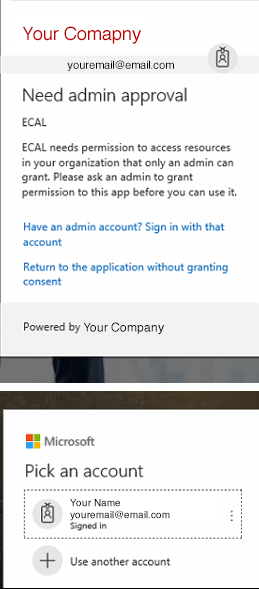
Does your Exchange Calendar require admin approval? If you see the image below, you need to ask your System Admin to allow access to the ECAL app. 
7. Other Calendars

About Jarad Morrison

View all posts by Jarad Morrison →

Related Articles

  • How To Subscribe to Samsung’s S Planner Calendar
  • How to subscribe on Lotus Notes
  • How to subscribe on Yahoo Calendar
  • How to change your default calendar from 30boxes

Categories

  • 91. Frequently Asked Questions
  • 52. Google
  • 73. Apple
  • 74. Outlook Desktop
  • 85. Outlook.com
  • 16. Android
  • 67. Other Calendars
  • 28. Other Issues
ECAL | All rights reserved. © 2025 | HyperKu Pte Ltd